Theme
n8n Workflow: Local Image to Video Generation Example
I. First, select the trigger method for the first node, select getting files from local disk for the second node, select the API request to generate video for the third node, and query the generated video for the fourth node
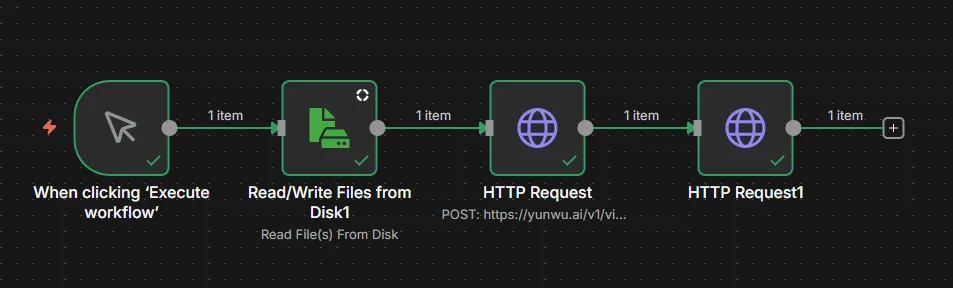
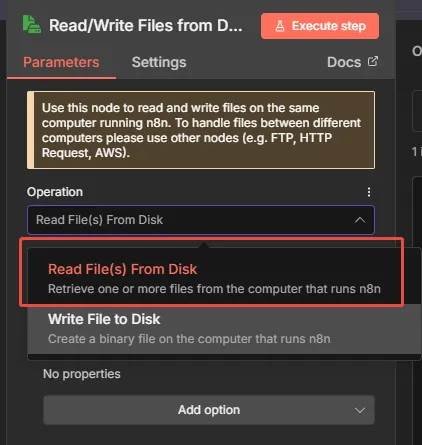
II. Click into the file reading configuration
- Select the first option to get images from local storage;
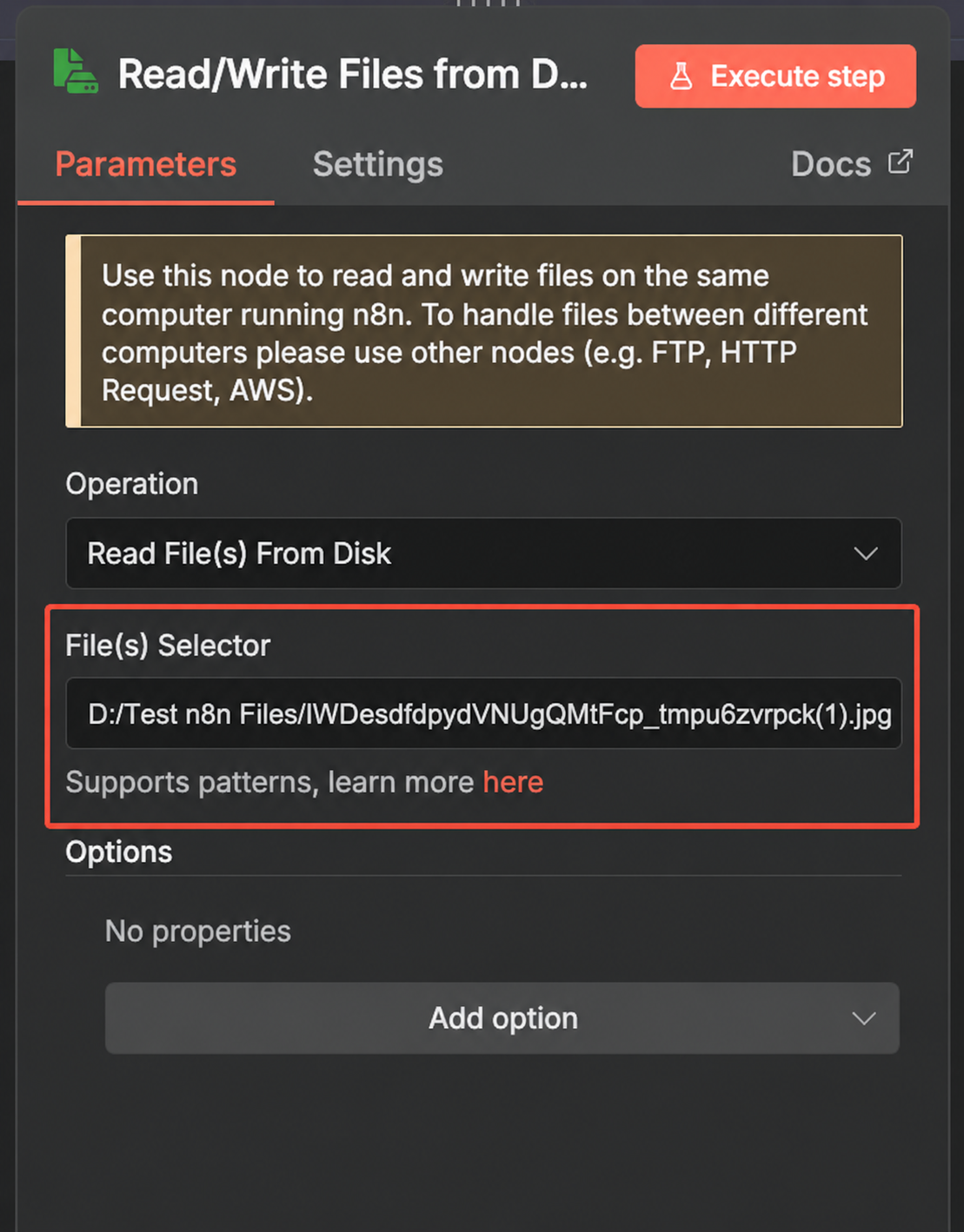
- The second option is the file path. Note that the backslash "" copied from the disk needs to be changed to: "/" ;
III. Click into the first request
The method should match the request method of the API you need to use. The url is the API request address. For the authentication type, select the second option.
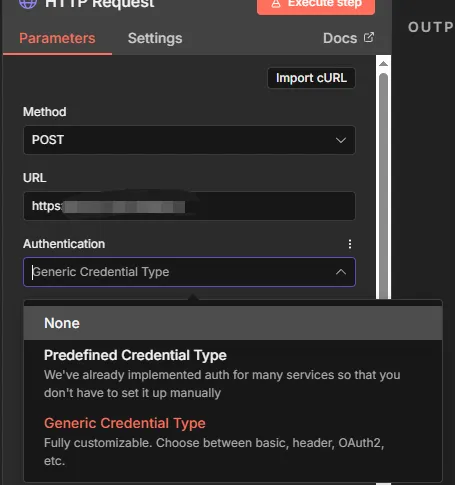
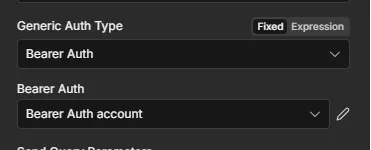
Select Bearer Auth for permissions
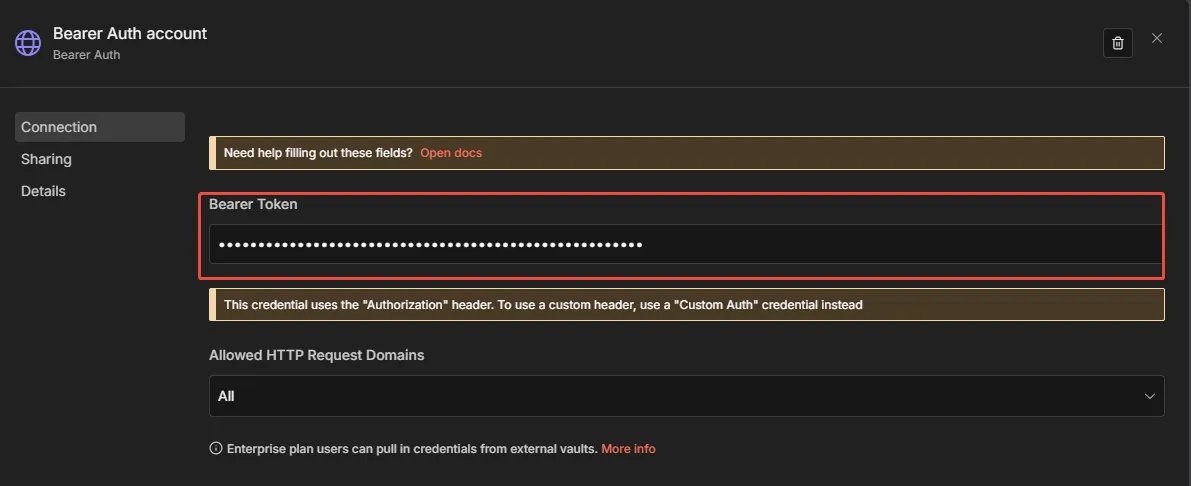
Add a new entry and fill in the token. This permission can be used for all HTTP requests.
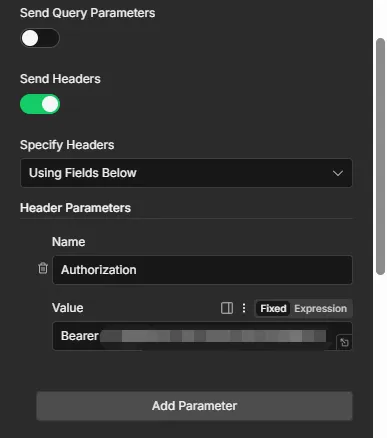
If the above permission doesn't work, open Send Headers and enter: Name: Authorization Value: Bearer+token (with one space between Bearer and token)
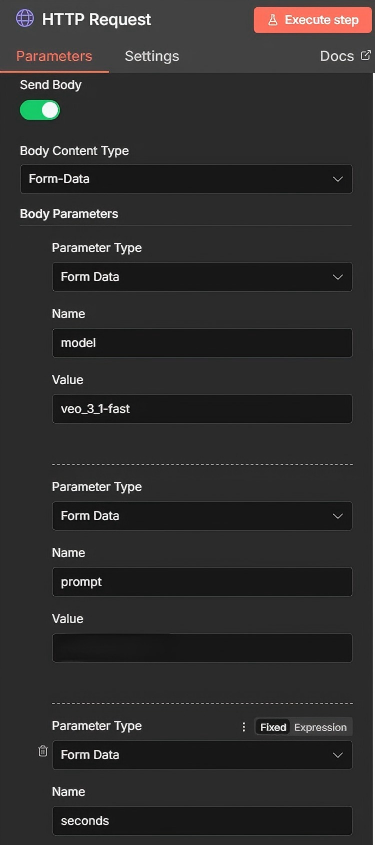
- Open the Send Body and pass the corresponding parameters according to the documentation. Select Form Data for the parameter passing type.
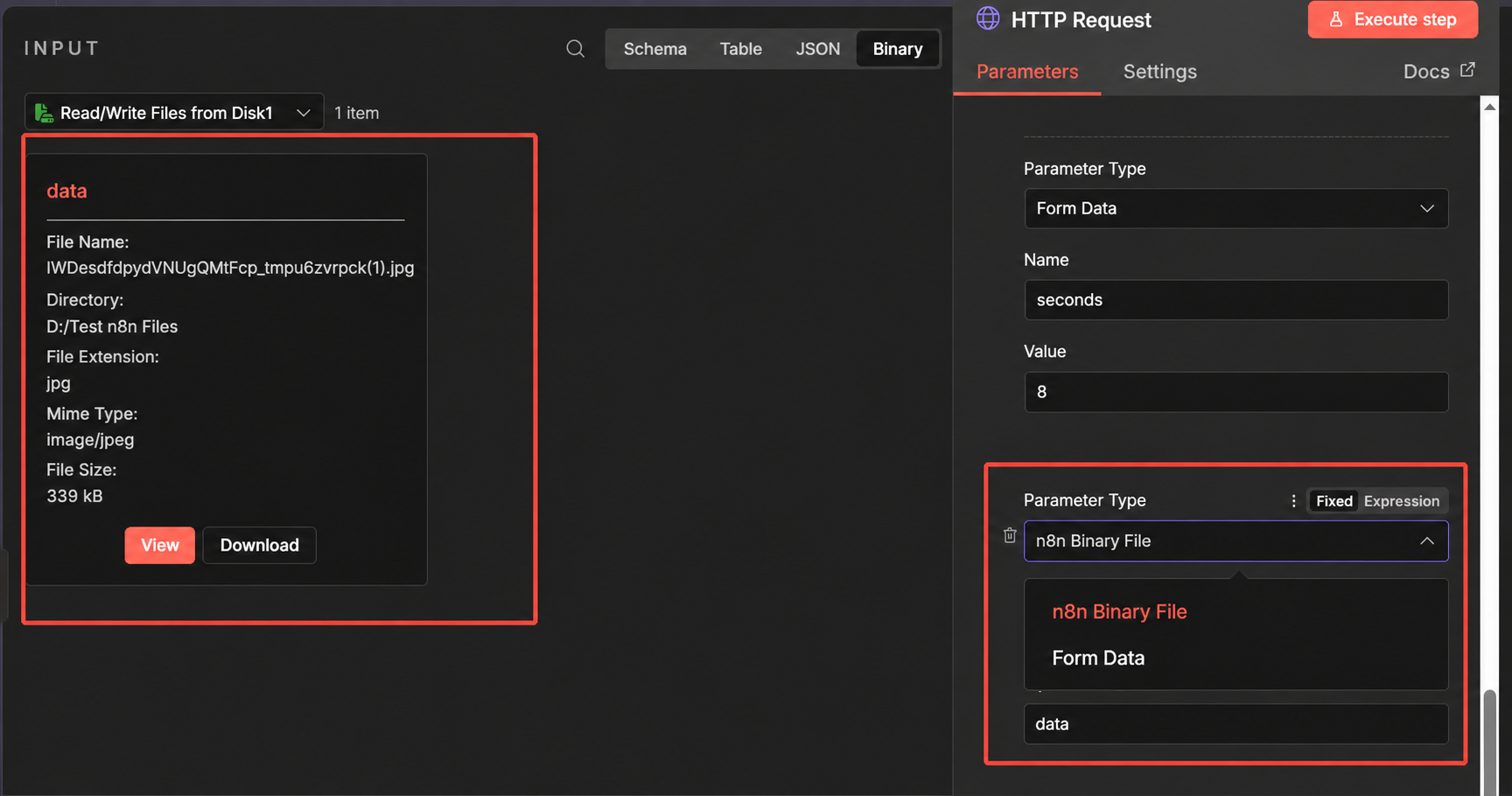
- The image transmission position is special. The left side is the local image we obtained from the previous node. When transmitting the image, select n8n Binary File to get the content from the left side. In the value field, enter "data" which represents the entire image on the left.
IV. Open the fourth node
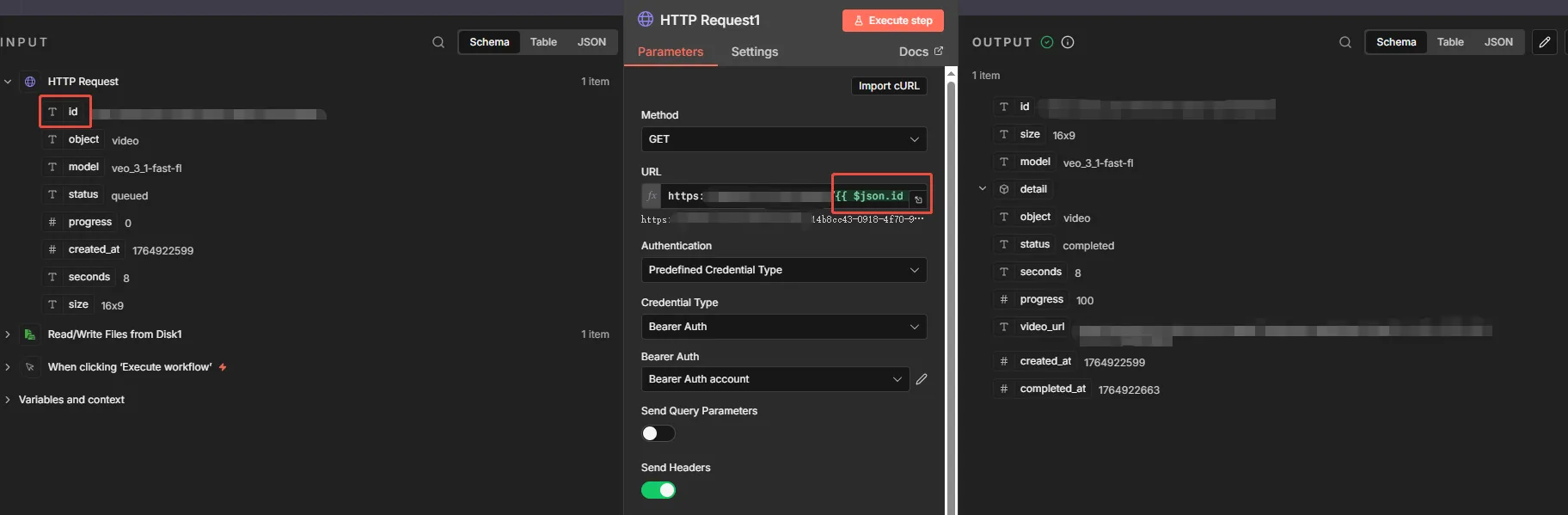
- All other configurations are the same as above, but since this is a query interface, you need to check where the id is located. If the format is https://xxxx:xxxx/xxxx/{id} with the id at the end of the interface, you need to place the id obtained from the previous node's interface into this position. You can enter it manually or click on the Tid identifier in the red circle on the left and drag it to the end of the interface, as shown in the image.